

Usage & traffic
Tool-call volume, MCP client health, issues, goals, output tokens, and request geography for your server.
The Analytics tab answers the questions traditional web analytics can't: which tools are being called, by which AI clients, from where, and whether those calls succeed. All traffic through your server's gateway URL is measured automatically — no SDK or instrumentation required.
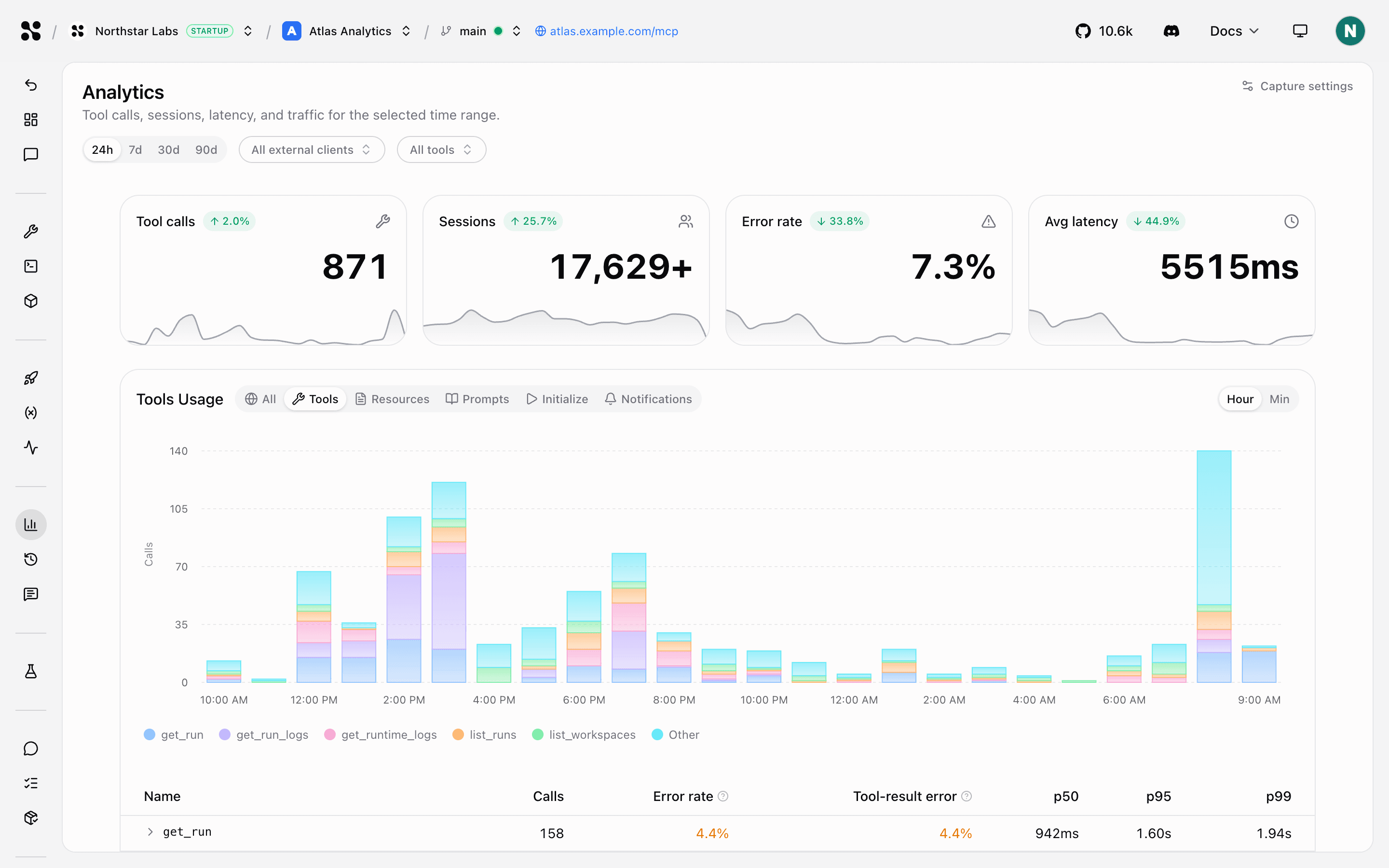
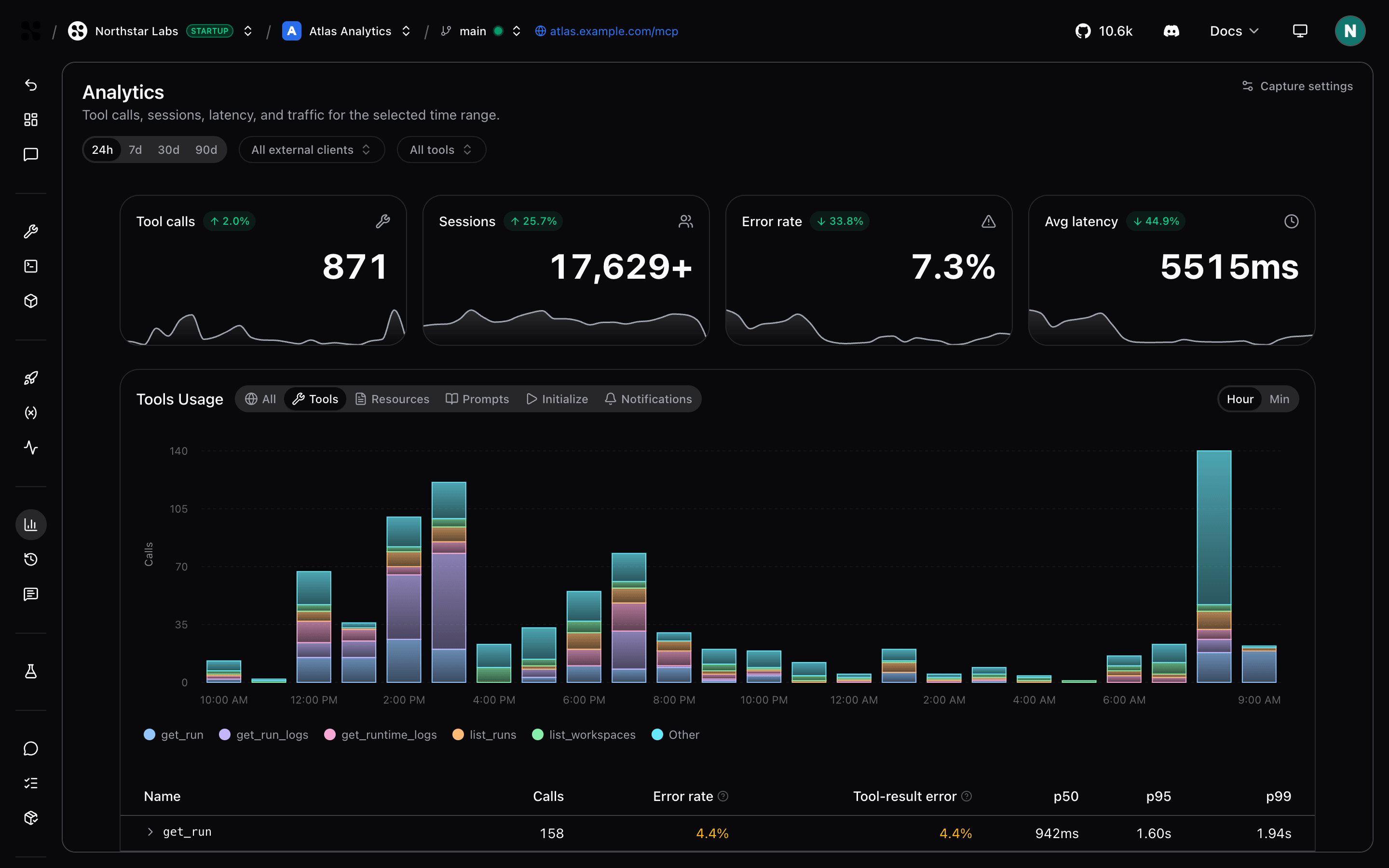
Summary counters
Four KPI cards at the top of the tab summarize the selected time window:
- Tool calls — total MCP tool invocations.
- Sessions — distinct interactions shown in the Sessions tab. The ≈ symbol indicates an estimated count.
- Error rate — percentage of gateway requests that failed.
- Avg latency — mean request duration across the window.
Each card includes a sparkline for the selected range and a badge comparing the current window to the previous one of equal length. Tool calls compares pace (observed volume adjusted for how much of the period has elapsed) when the window is still in progress; the other metrics compare observed totals. Hover a sparkline to see per-bucket values; when the latest bucket is partial, a dashed line projects volume at the current pace and a footnote explains what is observed versus projected.
Usage
The usage card charts tool, resource, prompt, initialization, and notification activity over time. Its title follows the active category—for example, Tools Usage when Tools is selected. Switch the category chips to focus on one MCP primitive or choose All for the combined MCP Usage view.
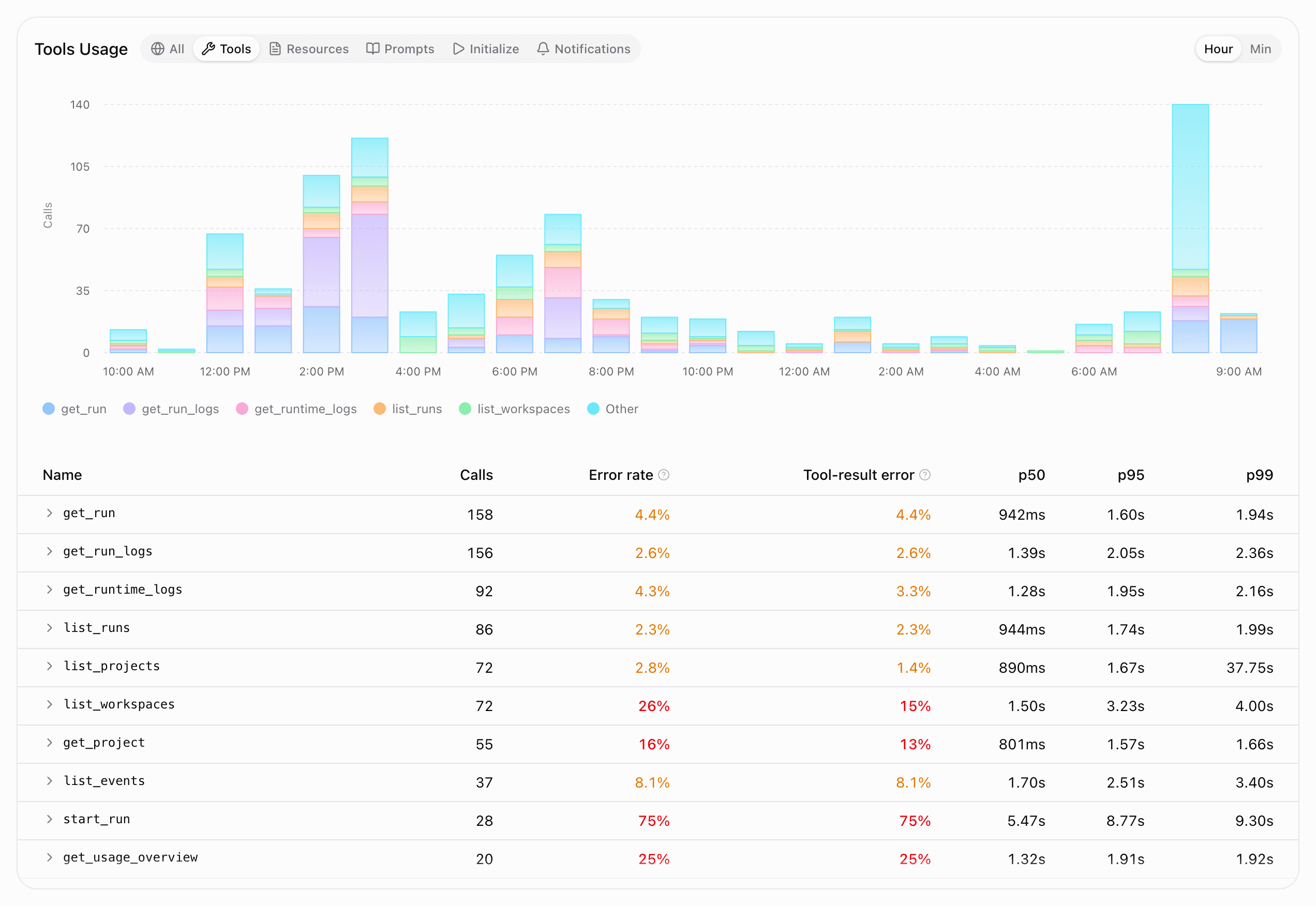
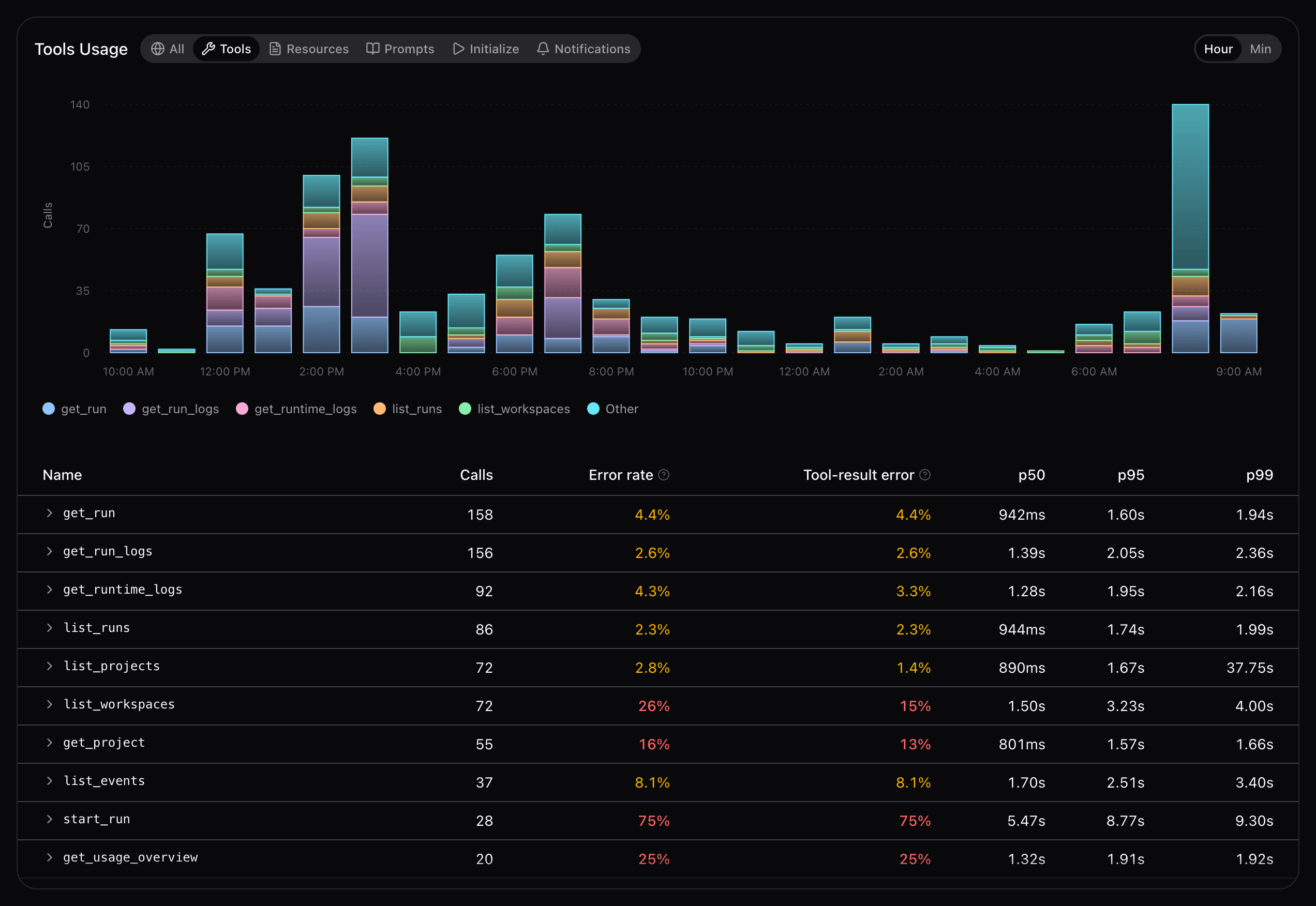
Each chart has its own granularity control. The available buckets fit the selected time range: Hour for 24 hours, Day / Hour for 7 days, Week / Day for 30 days, and Month / Week / Day for 90 days. Minute buckets are not offered: they are limited to windows of 6 hours or less.
Below the chart, a health table lists each entity with Calls, Error rate, Tool result error rate (tools only), and p50 / p95 / p99 latency (marked ≈: percentiles are estimated). Expand a row to see grouped error messages and the sessions that hit that tool during the period.
Tool latency
The Tool latency card ranks your tools by how long calls take and highlights slow tails. A trend chart at the top plots p95 latency over time for the tools you include; use its granularity control the same way as on the usage chart.
Below the trend, horizontal bars show each tool's median (p50) duration. A vertical mark on the bar is p95; a circle at the end of the tail is p99 (both marked ≈ as estimates). The right column compares each median to the previous period. Use the Tools filter to show or hide individual tools.
Click a tool's bar to expand the sessions that called it during the period, or open a session from the list to view its timeline.
Clients
The Clients card shows which MCP clients connect to your server — Cursor, Claude, ChatGPT, Windsurf, custom agents, and others.
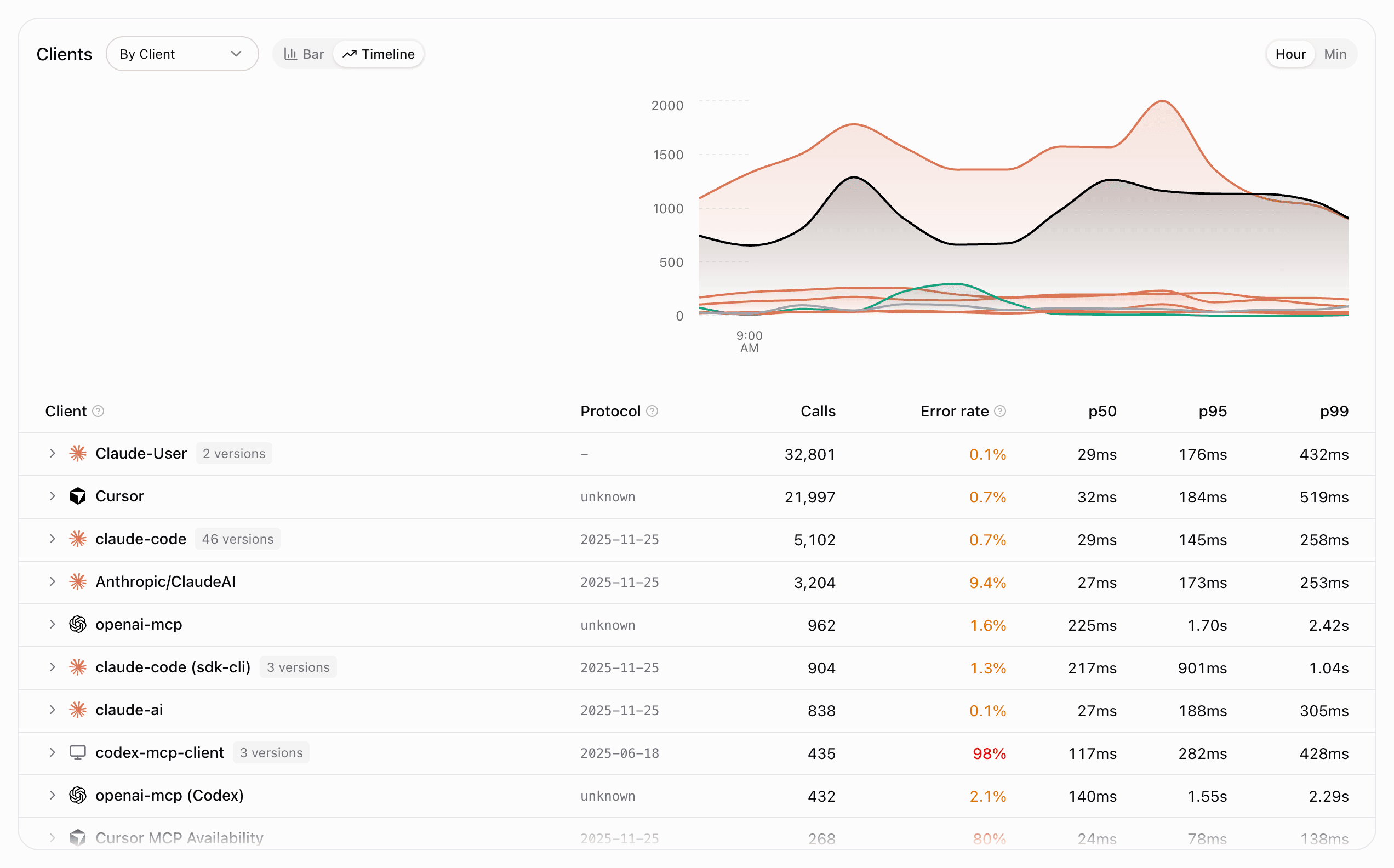
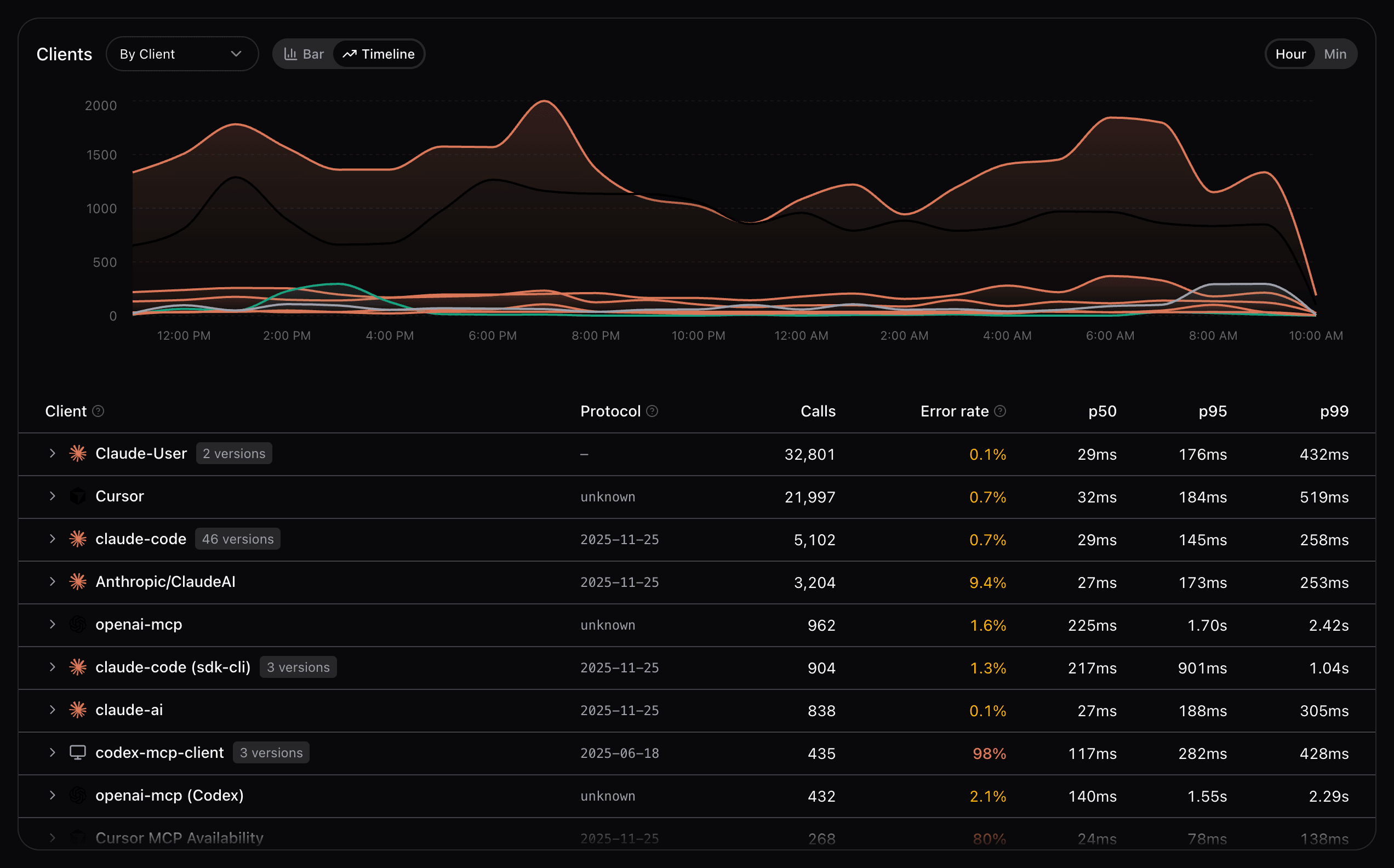
Toggle between a bar breakdown and a timeline view, and switch the breakdown dimension between Client, Version, and Protocol. A per-client health table mirrors the usage card: calls, error rate, and latency percentiles.
Expand a client row to see matching sessions, or follow View all to open the Sessions tab pre-filtered for that client.
Users
The Users card counts distinct account and token identities that invoked tools in the period (marked ≈). These are not guaranteed to be unique people; conversation and IP-based estimates are excluded.
Summary tiles show Active users, Sessions / user, and Tool calls / user, with a comparison to the previous period when available. An Active users over time chart follows the same partial-period rules as the summary sparklines. Most active users ranks identities by tool calls and lists sessions and error rate per row; click a user to inspect their activity across sessions, or follow View sessions for the full filtered list.
When Identify actors is off, a shortcut in the card header lets you enable it so future authentications can supply names and emails; activity is already tracked by actor ID either way. The footer notes what share of tool calls lack a user identifier.
Issues
The Issues card groups recurring errors on your server so you can triage, resolve, and track them over time — instead of hunting through individual gateway events.
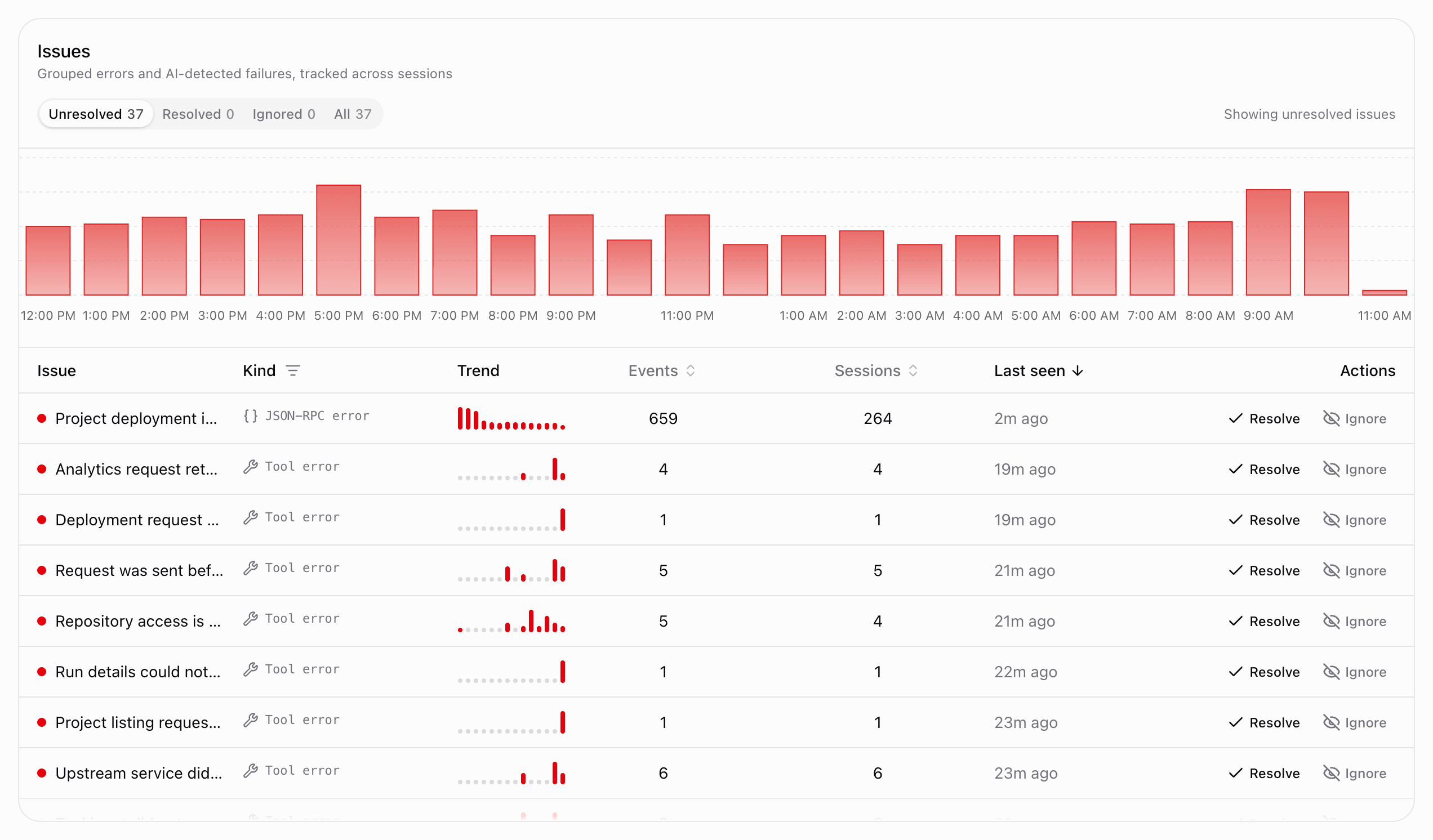
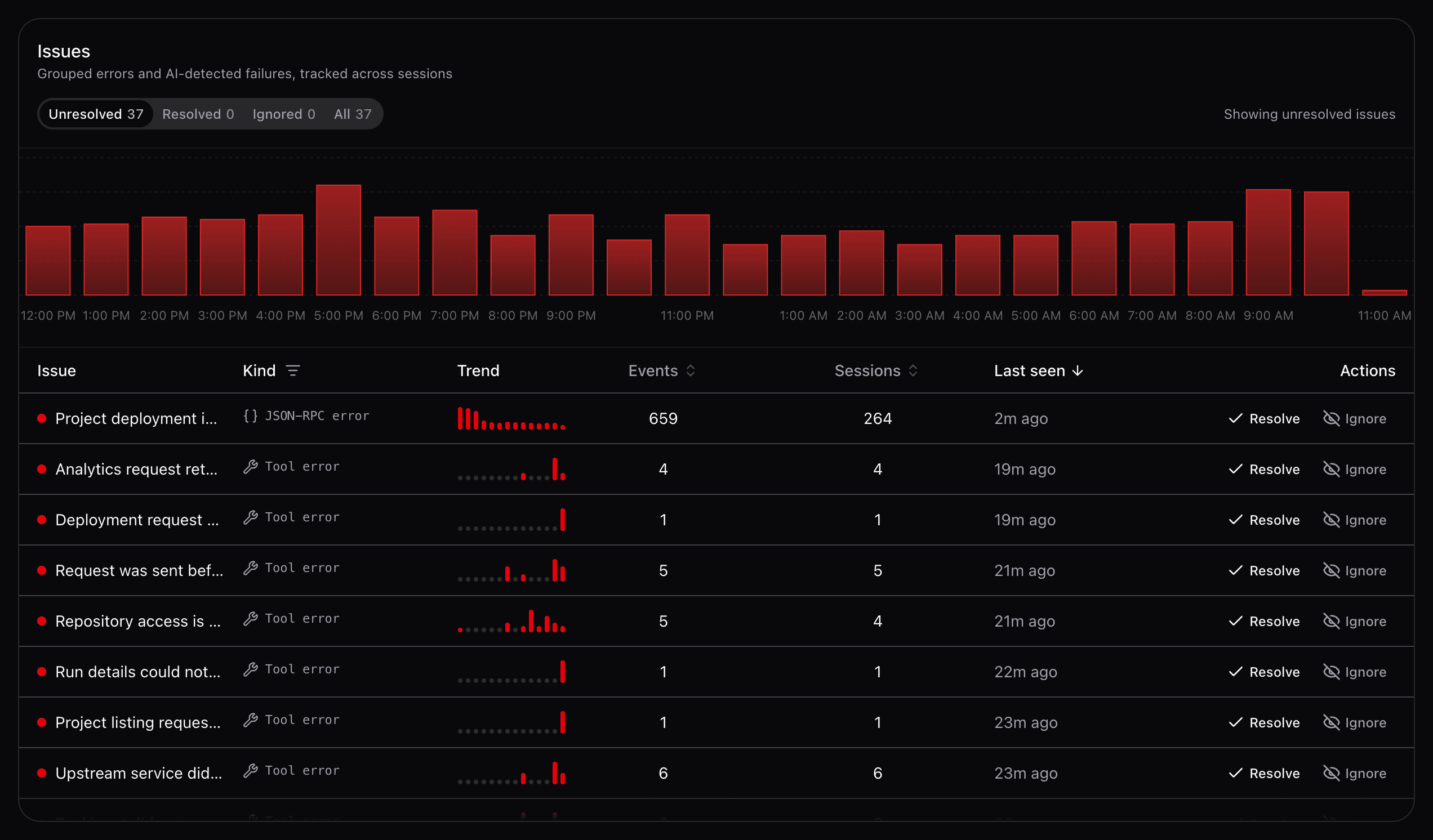
A trend chart at the top shows total issue occurrences over the selected time window. Status and kind filters apply to both the chart and the list below.
Each row summarizes one issue:
- Title and affected tool (when applicable)
- Kind — how the issue was detected
- A 14-day trend sparkline of occurrences
- Event and session counts
- Last seen timestamp
Expand a row to read a sample error message and see the sessions that hit this issue recently. Click a session to open the session timeline.
Kind filter
Filter issues by error type:
| Kind | Description |
|---|---|
| Tool error | Tool returned an error result |
| JSON-RPC | Protocol-level JSON-RPC errors |
| Transport | HTTP or connection failures |
Status workflow
Switch between status pills at the top of the card:
- Unresolved — active issues needing attention
- Resolved — fixed and closed
- Ignored — acknowledged but not actionable
- All — every issue regardless of status
Use row actions to Resolve, Reopen, Ignore, or Unignore an issue. Counts on each pill update as you triage.
For the raw event stream behind an issue, use Gateway Requests.
Goals
The Goals card helps you explore what users are trying to accomplish. AI-discovered goals appear with a brain icon; you can Keep (pin), Edit, or Archive them, or create manual goals yourself. AI goals with no sessions for 30 days are archived automatically unless you keep them.
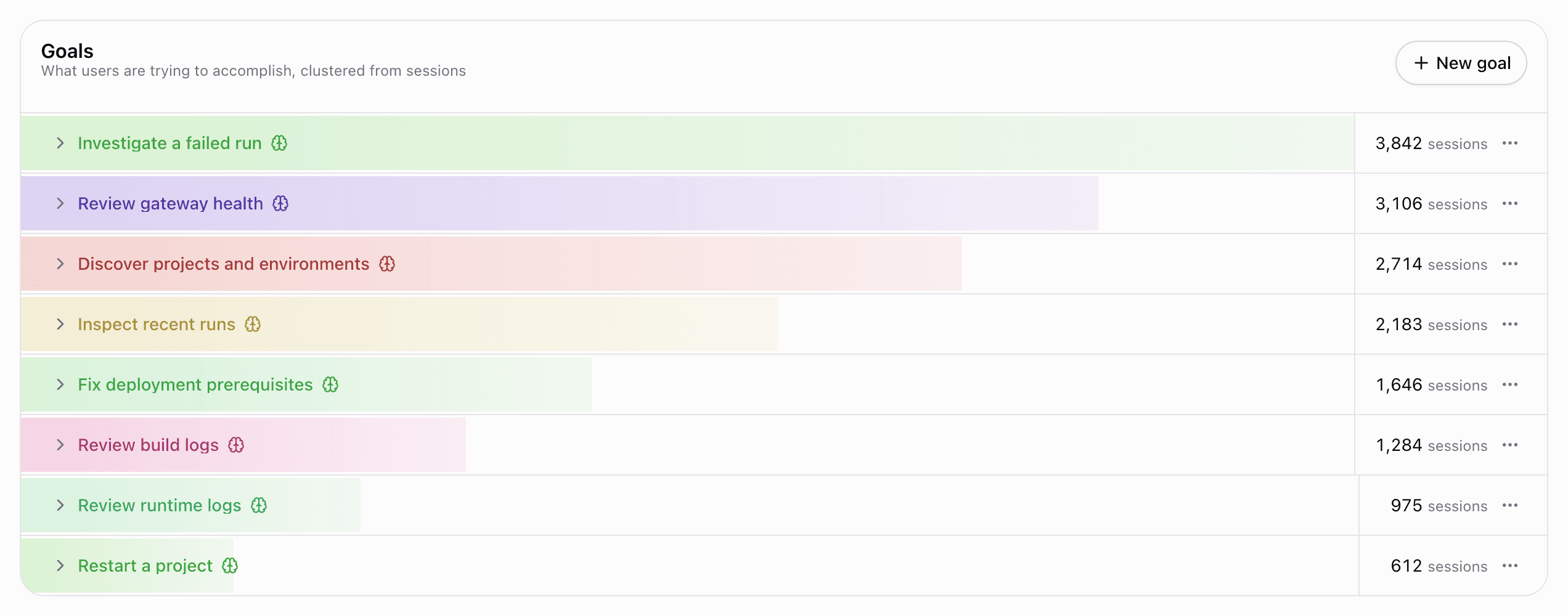
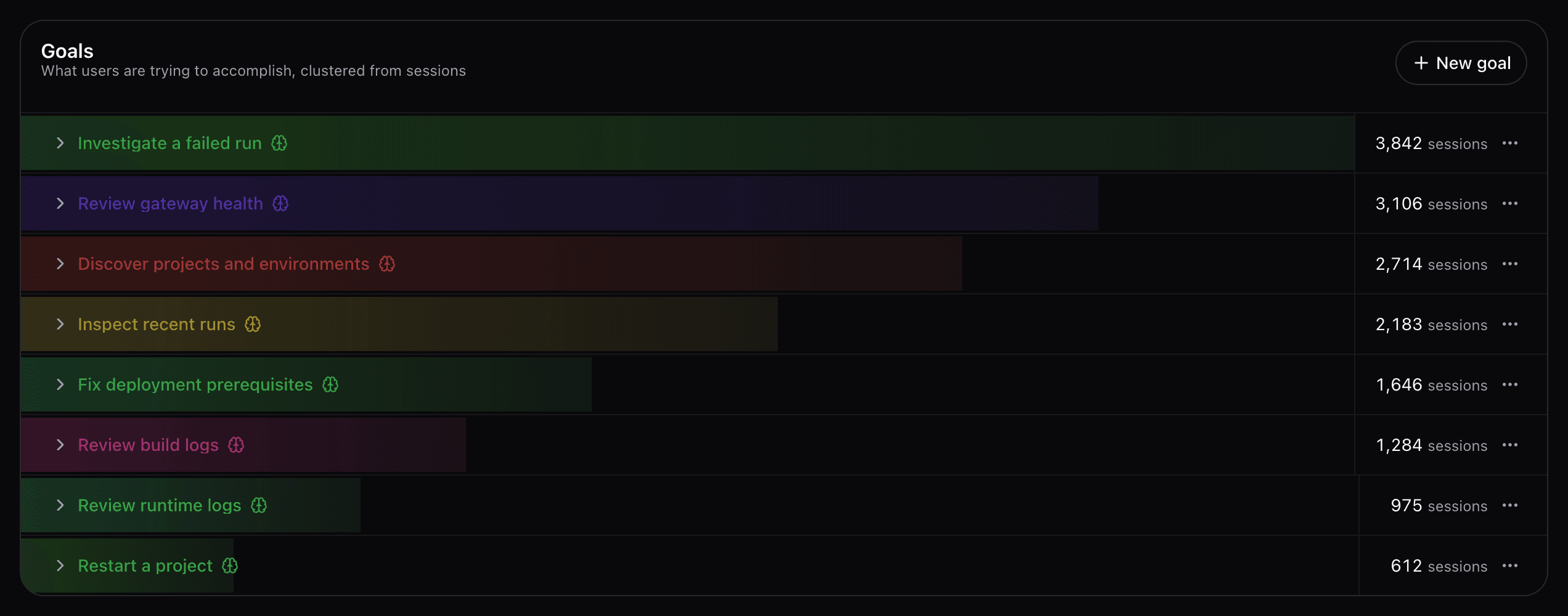
Each goal shows a success-rate trend chart (Achieved, Failed, Unknown per day) and an expandable session list. Until enough tool-call sessions exist, the card shows a learning progress state instead.
Goals need no capture setting. Session outcomes are shown as Achieved, Failed, or Unknown. You can review and override a session's goal or outcome in its timeline.
Average output tokens
The Average Output Tokens card estimates how much text your tools, prompts, and resources return to clients. Filter by All, Tools, Prompts, or Resources; its granularity follows the usage chart.
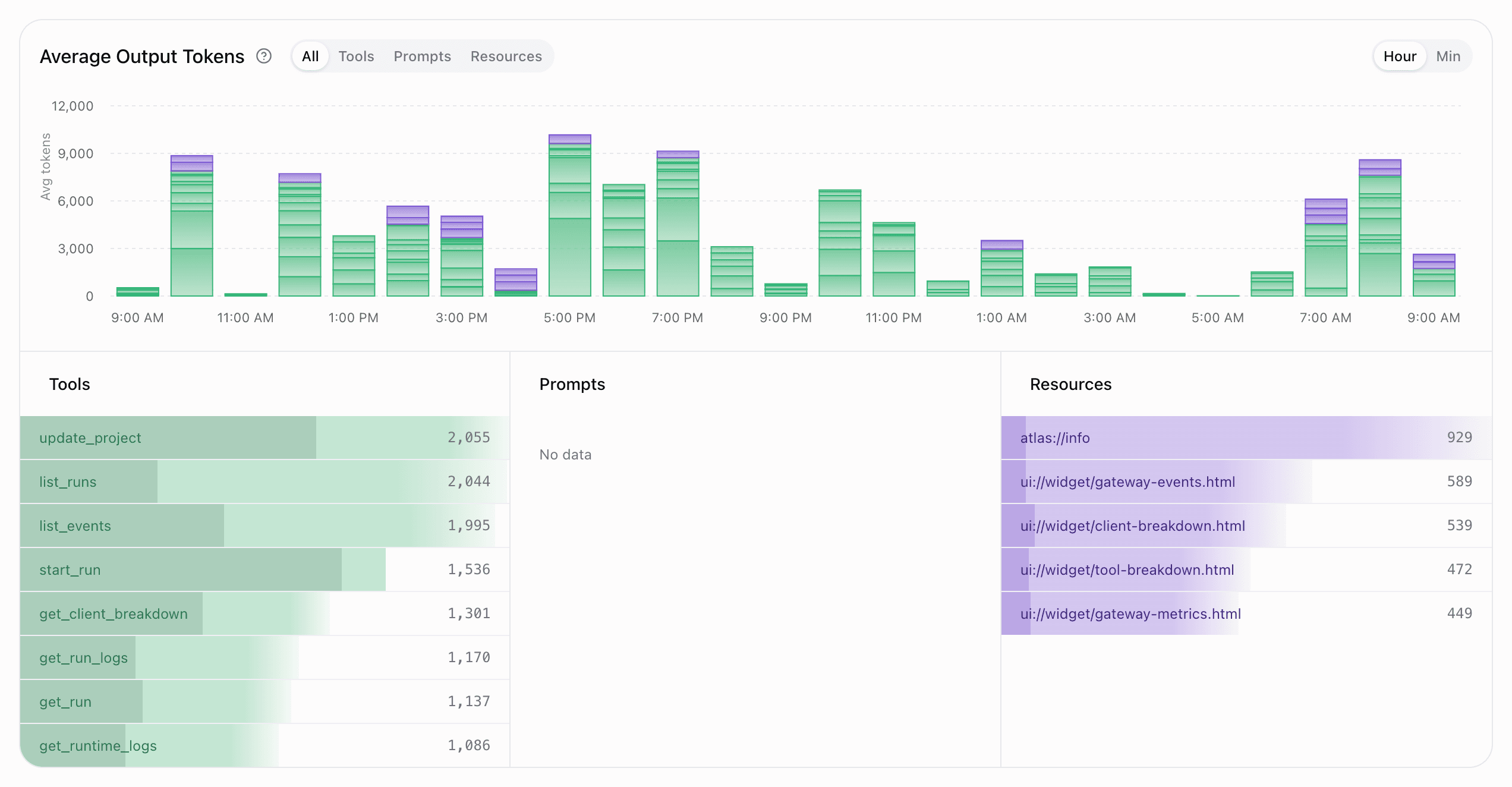
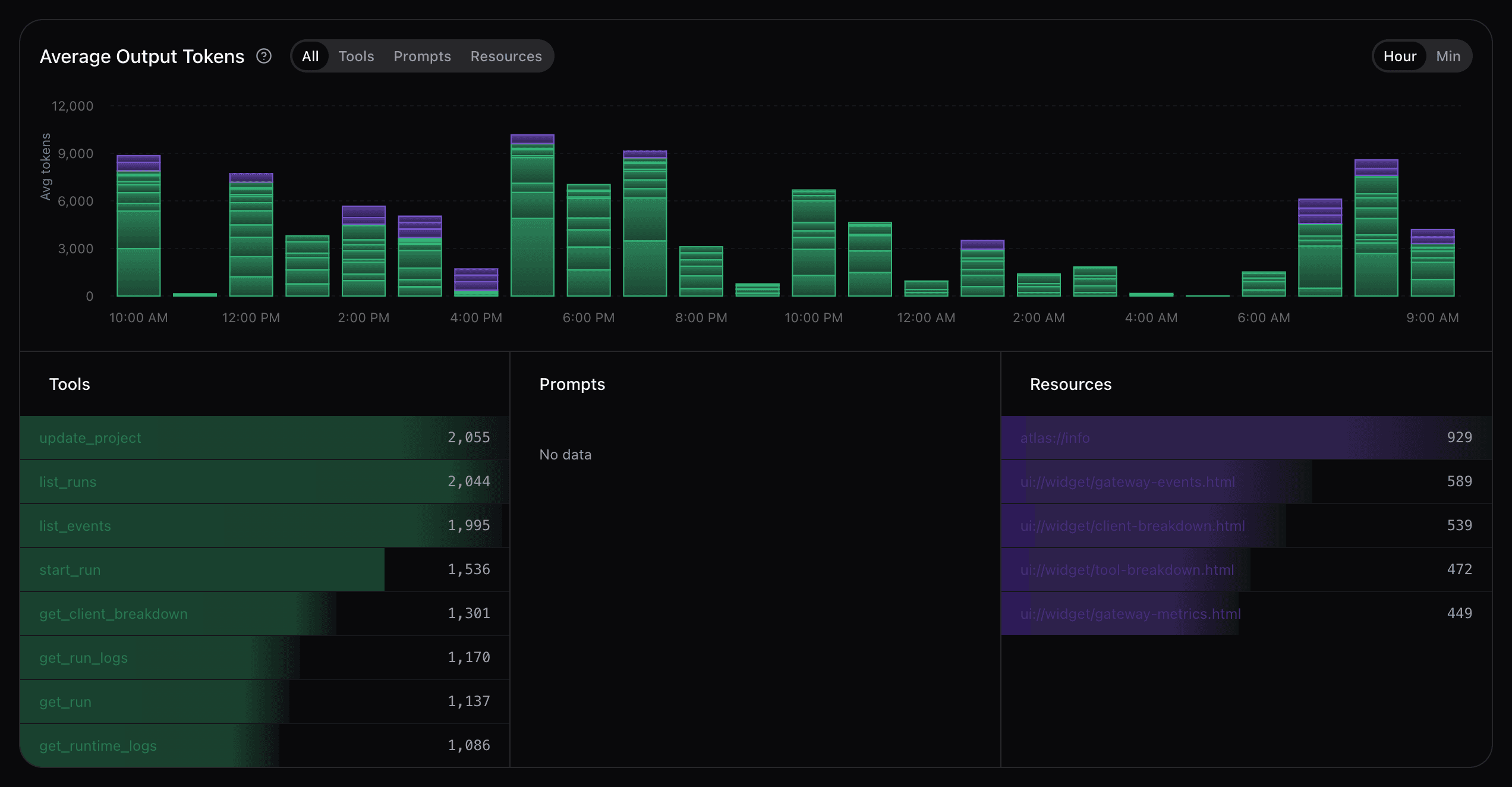
The time-series chart stacks average response tokens by entity. The feature columns below it compare each entity's definition tokens with its average response tokens. Response estimates require Capture payloads to be enabled.
Geographic distribution
Geographic Distribution maps where traffic originates and breaks requests down by country and client.
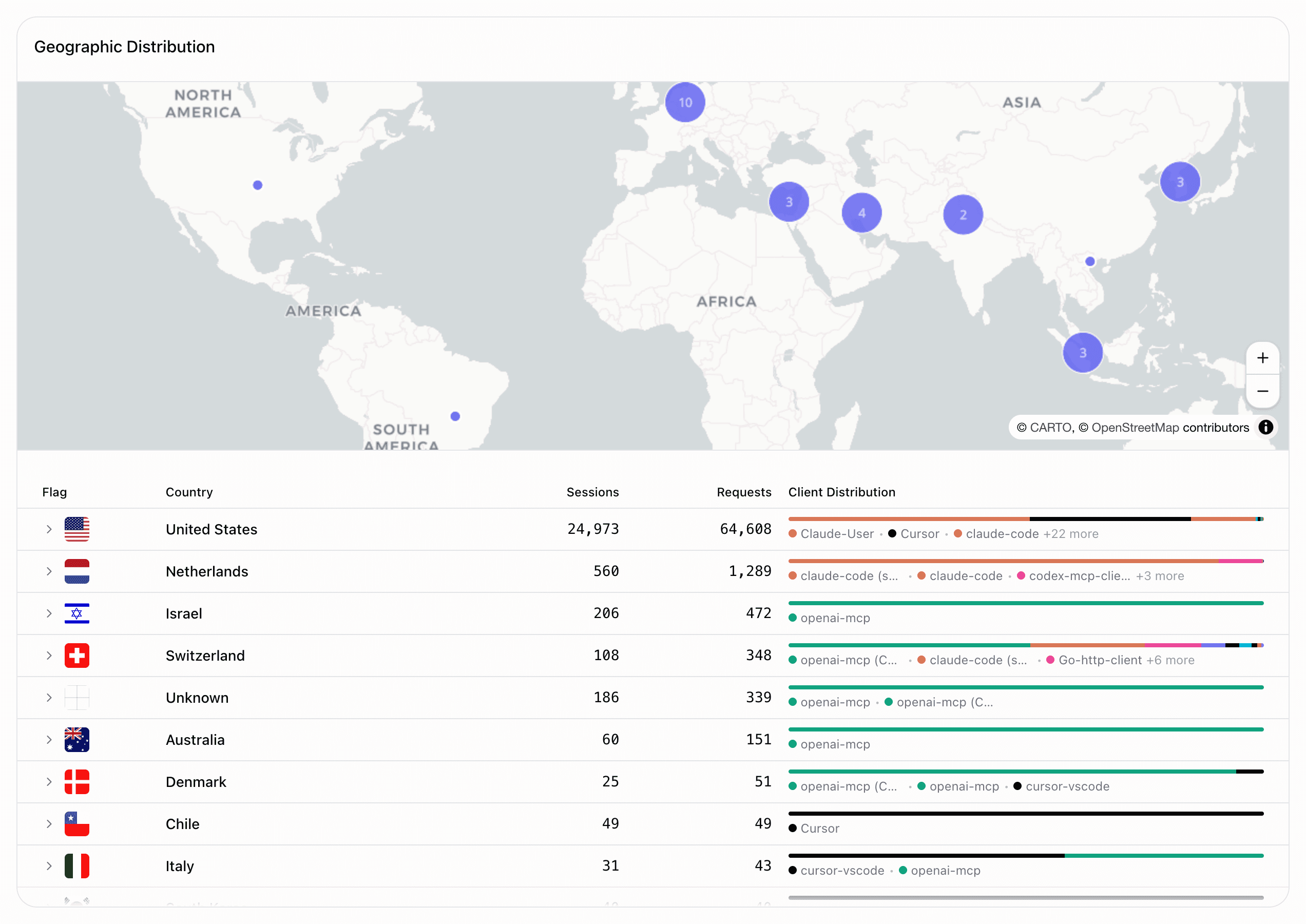
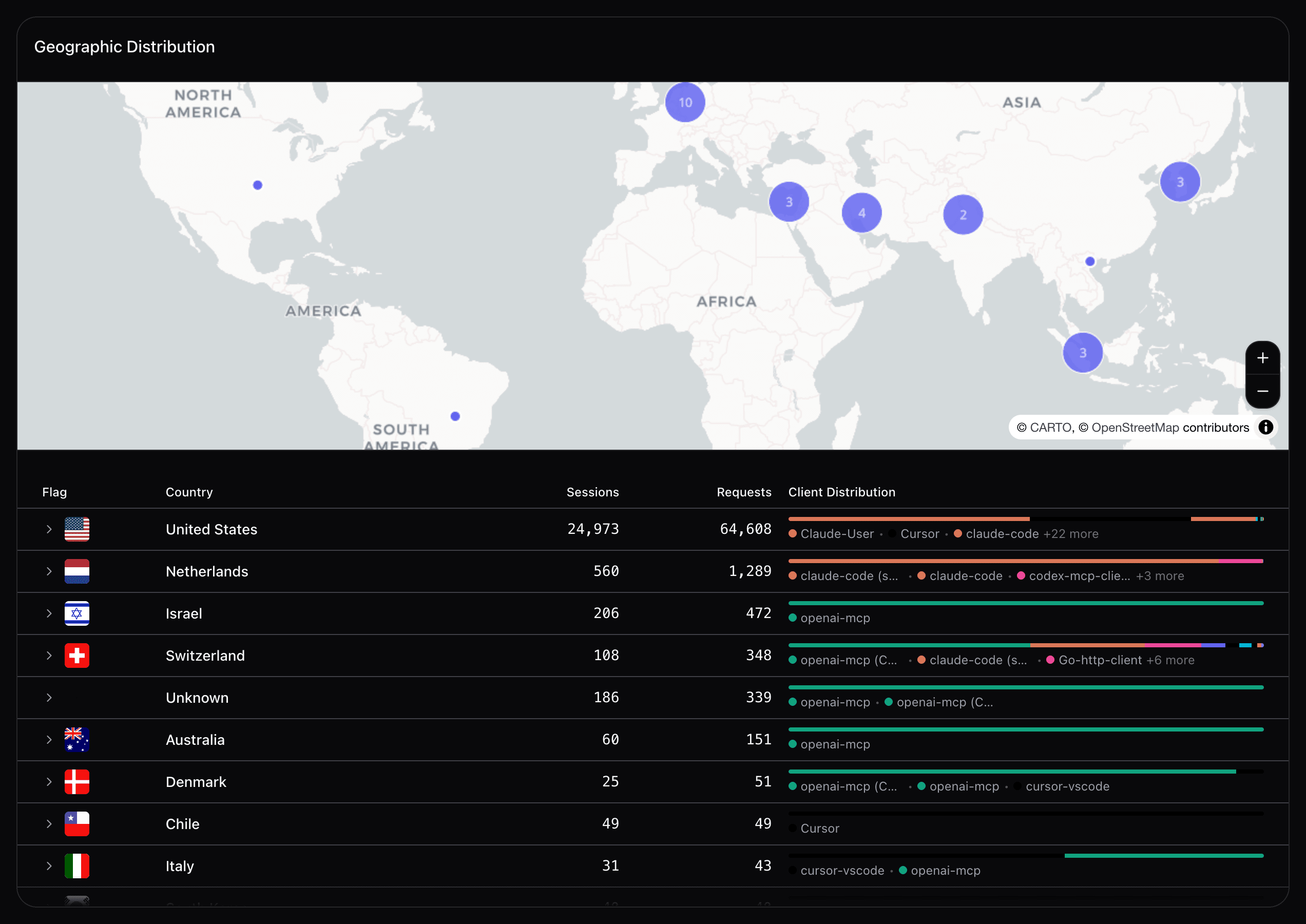
Expand a country row to see sessions from that region and jump to the Sessions tab with the country filter applied.
Toolbar controls
- Time range — pill switcher for 24h, 7d, 30d, and 90d.
- Clients — filter every card by one or more clients. With no selection, analytics shows all external clients and excludes Manufact's own dashboard, inspector, and checklist traffic.
- Tools — filter every card by one or more tools exposed by the server.
- Capture settings — link to Settings → Analytics capture.
Analytics refreshes automatically while the tab is open: every 30 seconds on the 24-hour view, every 2 minutes on 7 days and every 10 minutes on 30 days. The 90-day view does not auto-refresh; reload the page for the latest data.
Retention by plan
Current plans include 30 days on Free and pay as you go, 90 days on Pro, and 365 days on Enterprise. Legacy and contracted plans retain their agreed terms. See Billing & plans.
Session timeline
Click any session badge or row across Analytics cards to open the session timeline drawer: a vertical replay of every MCP event in that interaction — methods, errors, arguments, response links, and the assigned goal and outcome when available.
For the full searchable session list, use the dedicated Sessions tab.
Actor names and emails
Enable Identify actors in Settings → Analytics to show available names and emails in session rows and the timeline's Actor entry. Click an actor to inspect its activity across sessions. This is a separate opt-in from payload capture.
Some labels appear as Token identity (unverified). Identity labels help you recognize activity; they are not proof of identity. Actors without an available name continue to show an ID. See Actor identification for screenshots and troubleshooting.
Going deeper
Analytics shows aggregate trends and health. To inspect individual gateway requests in real time, use Gateway Requests. Org-wide aggregates (total servers, tool calls, and sessions over the last 30 days) are also shown on the organization Dashboard.