

Server settings
Repository, regions, build commands, deploy triggers, scaling, and access control.
The Settings tab is the control panel for a server's configuration. Most changes require a redeploy to take effect, the dashboard prompts you when that's the case.
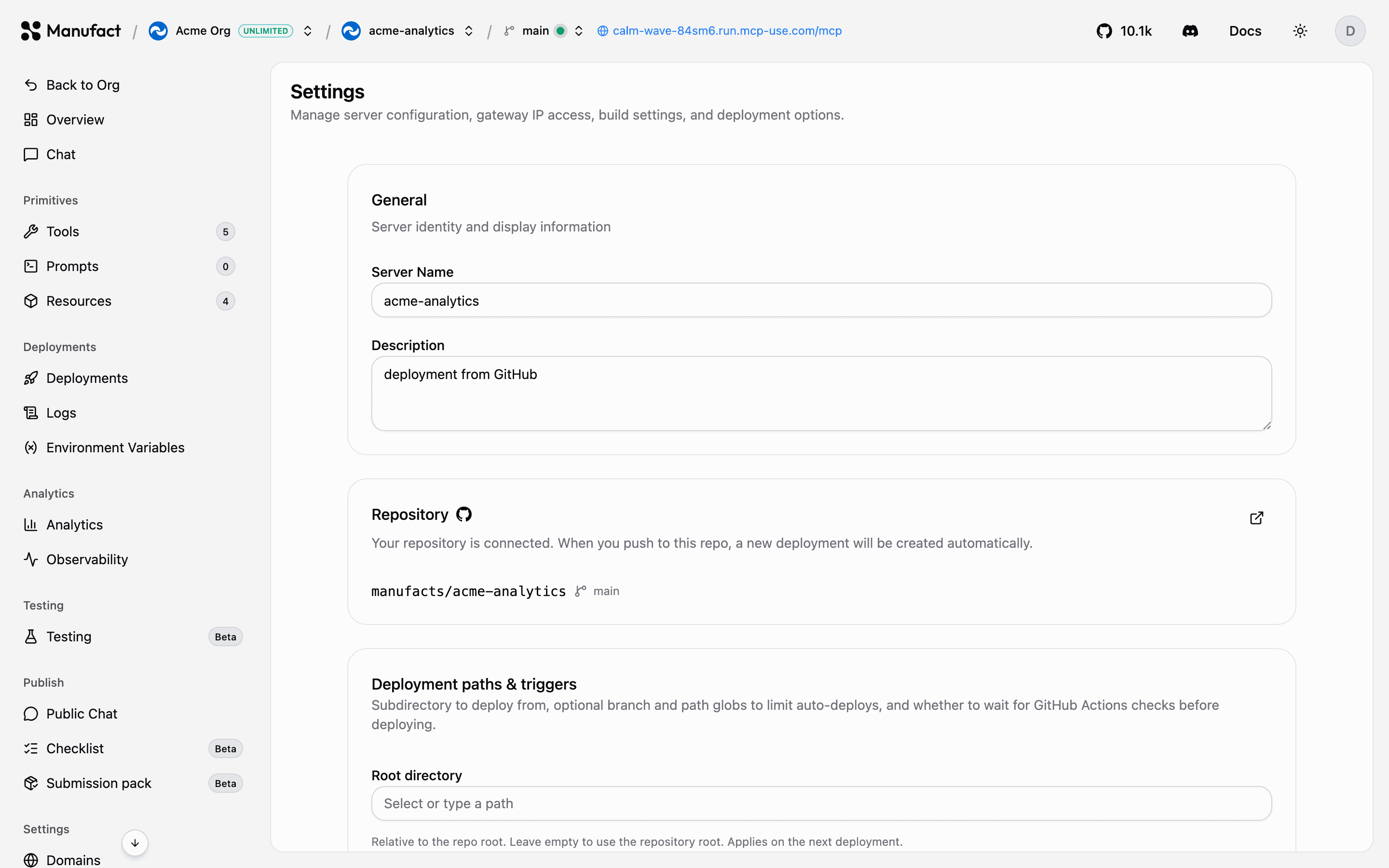
General
Rename the server and update its description. Renaming doesn't change the server's slug, edit that on the Domains tab.
Repository
See and manage the GitHub connection backing your server. For external (URL-connected) servers, this section is replaced by External MCP URL and Manufact proxy cards — update the upstream URL, upgrade to a Manufact gateway URL, or downgrade back to a direct external connection. See Connect an existing server.
When GitHub access changes, this section shows Disconnected, Access removed, or Check degraded so you can see why deploys are paused. Running servers stay online; restore App access on GitHub and use Recheck on the Integrations page.
Deployment triggers
Fine-tune when Git pushes deploy:
- Production branch: which Git branch serves your canonical production URL and always auto-deploys. Changing this does not redeploy the running server — the next push to the new branch or a manual deploy applies it. Custom domains scoped to the new branch are promoted to production (shown as Pending deploy until the next production deployment).
- Branch allow list (globs): which branches are allowed to create deployments. The production branch always deploys.
- Watch paths (globs): only changes under these paths trigger a deploy.
- Wait for CI: wait for GitHub checks to pass before building.
Checklist automation
For Manufact-hosted servers, Checklist automation starts a publish checklist after each successful deployment is live and routed. Manual runs from Publish → Checklist remain available.
Turn on Run automatically, then choose which branches trigger a run:
- Production branch only — recommended; runs after successful production deployments.
- All deployed branches — runs for production and every branch that finishes deploying.
- Selected branches — runs only when the deployed branch matches one or more branch patterns you add.
Each automatic run is billed the same as a manual checklist run. The Deployments tab shows the latest completed score per deployment.
With automatic runs enabled and a connected GitHub repository, turn on Report publishing checks to GitHub to add a check to each deployed commit and keep one comment updated on its open pull request. See Publish checks for the result meanings and reporting rules.
Region
Choose where your server runs: AUTO (default, US East), US (US East), EU (Frankfurt), APAC (Tokyo), or Global. Regional selection and the separate Global region feature are included on Pro and Enterprise. Free and pay as you go use AUTO routing.
Global runs your server in all three regions and serves each request from the region nearest the client. An MCP session stays in the region that started it, and OAuth and other non-MCP requests go to US East. State your server keeps in memory is not shared between regions.
Deployment resources
Prevent Scale to Zero keeps your server warm so clients never hit a cold start. Included on Pro and Enterprise, see Billing & plans.
Build & runtime settings
Open Settings → Deployment → Build & Runtime Settings, or use the Deployment settings link in the Deployments page header. These settings are available before your first deployment.
Choose the same framework or Dockerfile preset used during server creation. Framework presets fill in Build Command, Start Command, and Port defaults that you can customize. The Dockerfile preset clears command overrides so your Dockerfile is used, and lets you set its path and listening port.
Set the Root directory when your server lives in a subdirectory (monorepos). Saving applies these settings to the next deployment; it does not change the running server.
Server configuration (JSON)
Advanced connection configuration for the dashboard's own client (Chat and inspector tabs): custom headers, OAuth settings, and connection overrides, as a JSON document.
Rate limiting
Optionally throttle traffic at the gateway per caller (by real client IP):
- Disabled by default — turn on with the toggle on the Settings tab.
- Requests per minute — max requests each caller can make in a rolling 60-second window (default 1,000 when enabled without a custom value).
- Exceeded callers receive
429 Too Many Requestsuntil the window resets.
Applies independently to this server. Does not replace plan-level credit enforcement on the Free tier.
IP allowlist
Restrict which IP addresses can reach your server through the gateway, useful for servers that should only be reachable from your own infrastructure. This section is rolling out gradually and may not be visible on your account yet.
Analytics capture
Toggles here control what the gateway stores for Usage & traffic (including the Issues card) and Sessions. Changes apply immediately — no redeploy required.
| Toggle | What it enables |
|---|---|
| Identify actors | Show available names and emails alongside analytics actors. Off by default; independent of payload capture |
| Capture payloads | Store request and response bodies for gateway events — powers session timeline previews, output token estimates, tool-definition sizing, and richer error context |
| Feedback tool | Add a gateway-handled send_feedback tool; reports appear in the Feedback tab. Making the tool visible to agents may require a new store submission |
Turn on Identify actors to label Sessions and session rows in Analytics with a caller's name or email, when available. No SDK installation is required. Availability depends on your server's authentication setup; some actors may continue to show an ID.
Disabling Identify actors stops collection and hides identity labels. It does not erase previously collected data; that data follows analytics retention. See Actor identification for screenshots and troubleshooting.
Sensitive data
Names, emails, and payloads can contain personal data. Enable these settings only when appropriate for your users and your data-handling requirements.
The Capture payloads toggle also appears on the Gateway Requests tab for quick access while debugging.
Danger zone
Delete Server permanently removes the server, its deployments, URLs, and analytics. This cannot be undone.