

Submission pack
Generate app-directory listing copy, tool justifications, and reviewer test cases from your MCP server.
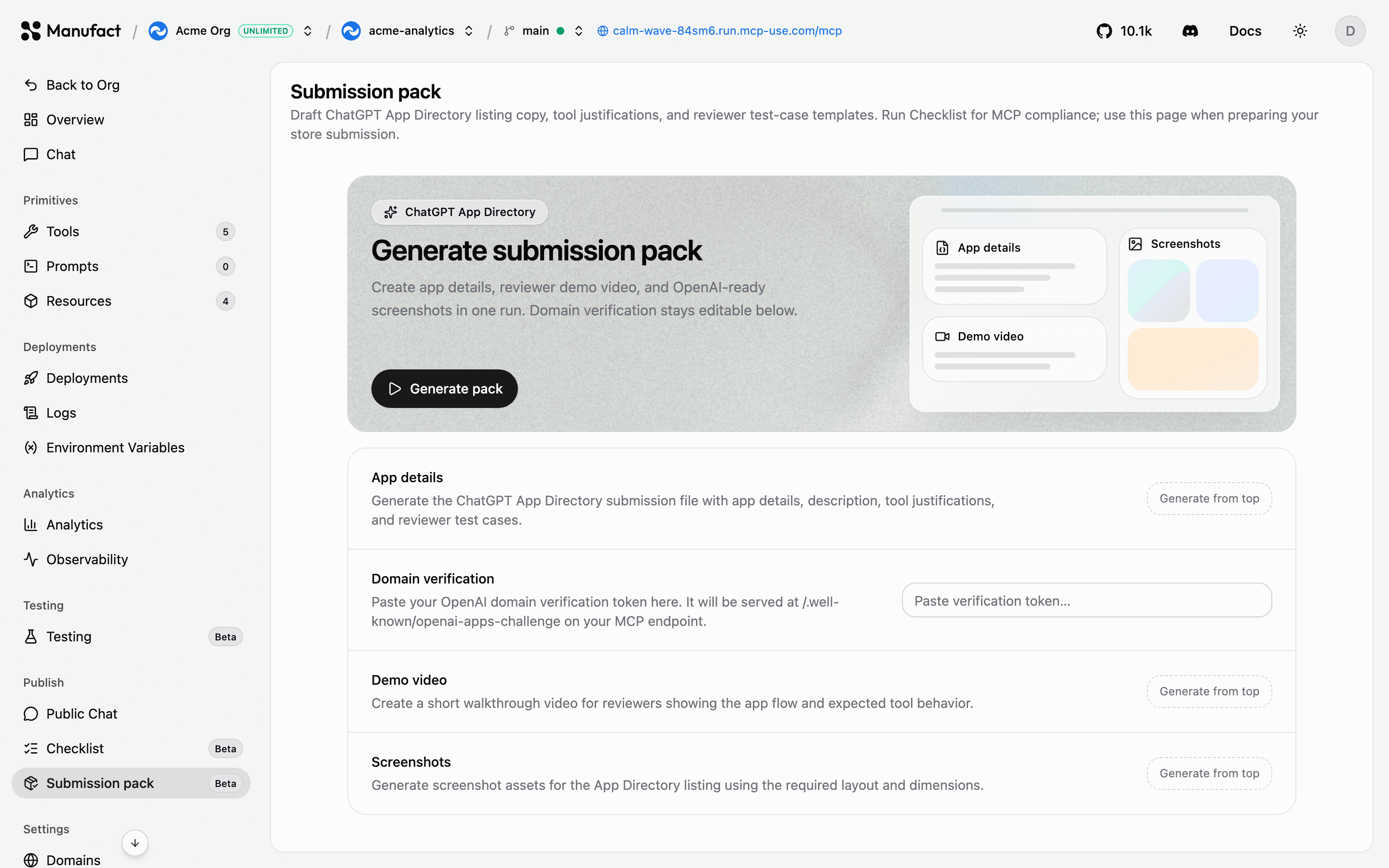
When you submit an MCP server to an app directory, for example the ChatGPT App Directory, you need more than a working endpoint. The Submission pack tab in the Publish section drafts the materials directories ask for, based on your server's actual capabilities. It works for Manufact-hosted and external (URL-connected) servers.
Submission pack generation is available on all current plans, including Free, and draws from the shared usage allowance at $5 per generation.
What it generates
Open your server and go to Publish → Submission pack, then click Generate pack. The pack includes:
- Directory listing copy (name, descriptions, category)
- Tool justifications: why each tool needs the access it requests
- Reviewer test-case templates so reviewers can exercise your server quickly
Edit the drafts to match your voice, then paste them into the submission form.
Demo video and screenshots
The pack can also generate a demo video and screenshots for app directory listings.
- Custom instructions — steer what the demo or screenshots should emphasize (for example, "show the checkout flow"). Layout and dimension constraints still apply.
- Tool selection — for screenshots, pick up to four MCP tools to capture. When omitted, the generator chooses representative tools.
- Live progress — screenshot generation streams partial results to the dashboard as they complete.
- Stop — cancel an in-flight demo video or screenshot job from the dashboard.
When to use it
Generate the submission pack after your server passes the publish checklist and you've validated behavior with test suites. A typical flow:
- Clear the Checklist with no failures.
- Run test suites across clients and models.
- Try the server via Public Chat or your own client.
- Generate the submission pack and submit.