

Testing
Verify your MCP server works correctly across clients and models with automated test suites.
The Testing tab runs automated test suites against your MCP server. A suite defines a task and passing criteria. Run it across clients and models, because a server that works in one client can still fail in another.
MCP Evals are available on all current plans, including Free. Runs start at $0.70 each, with graduated volume discounts, and draw from the organization’s shared usage allowance. Pro also includes MCP Evals for clients on Windows, macOS, iOS, and Android; Enterprise client-eval access is agreed in your contract.
Creating a suite
- Go to Testing and click Add test suite.
- Write a representative task and optional rubric. Add a conversation flow if you need checks for specific tool calls or replies.
- Set the passing threshold (70% by default). A run must meet the threshold and any configured tool assertions. If the evidence cannot establish the outcome, the result is inconclusive.
- Choose Inspector, ChatGPT, Claude, Claude Code, Codex CLI, or Pi, and select the models for coding-agent runs. Hosted Cursor CLI testing is not available yet; the picker lets you request support.
Claude Code tool search
Enable tool search to let Claude Code discover tools on demand instead of loading every schema upfront. Run the suite in both modes to check whether the agent can find your tools from their names and descriptions.
Tool-use testing and UI testing
Every client tests whether the agent uses the right tools and arguments, understands the results, and completes the task.
ChatGPT, Claude, and the Inspector also render MCP Apps UI. We record the browser run and capture a screenshot of the conversation with the rendered app. The judge receives the captured screenshot alongside the conversation and tool results, and uses it to assess the visible UI. The screen recording is available for you to replay in Conversation when captured; the judge inspects the screenshot, not the full video.
Add concrete UI criteria to your rubric to include them in the score, such as "The issue list renders with readable labels and no clipped content." The judge checks the captured view against those criteria and describes its visual evidence in Report. This does not guarantee coverage of every button or interaction.
Claude Code, Codex CLI, and Pi test tool use without rendering app UI. A passing coding-agent run does not prove the app UI works. Test an MCP App in both a UI-capable client and a coding-agent CLI.
Execution and judging
Each coding-agent run gets a fresh sandbox with the real CLI configured to use your MCP server. Model keys are temporary: each key works for one run and model, expires at the run deadline, and is revoked when the run ends.
The judge runs in a separate sandbox and reads the saved evidence without connecting to your server. Judging cannot trigger tool calls or change your server's data.
Running and reading results
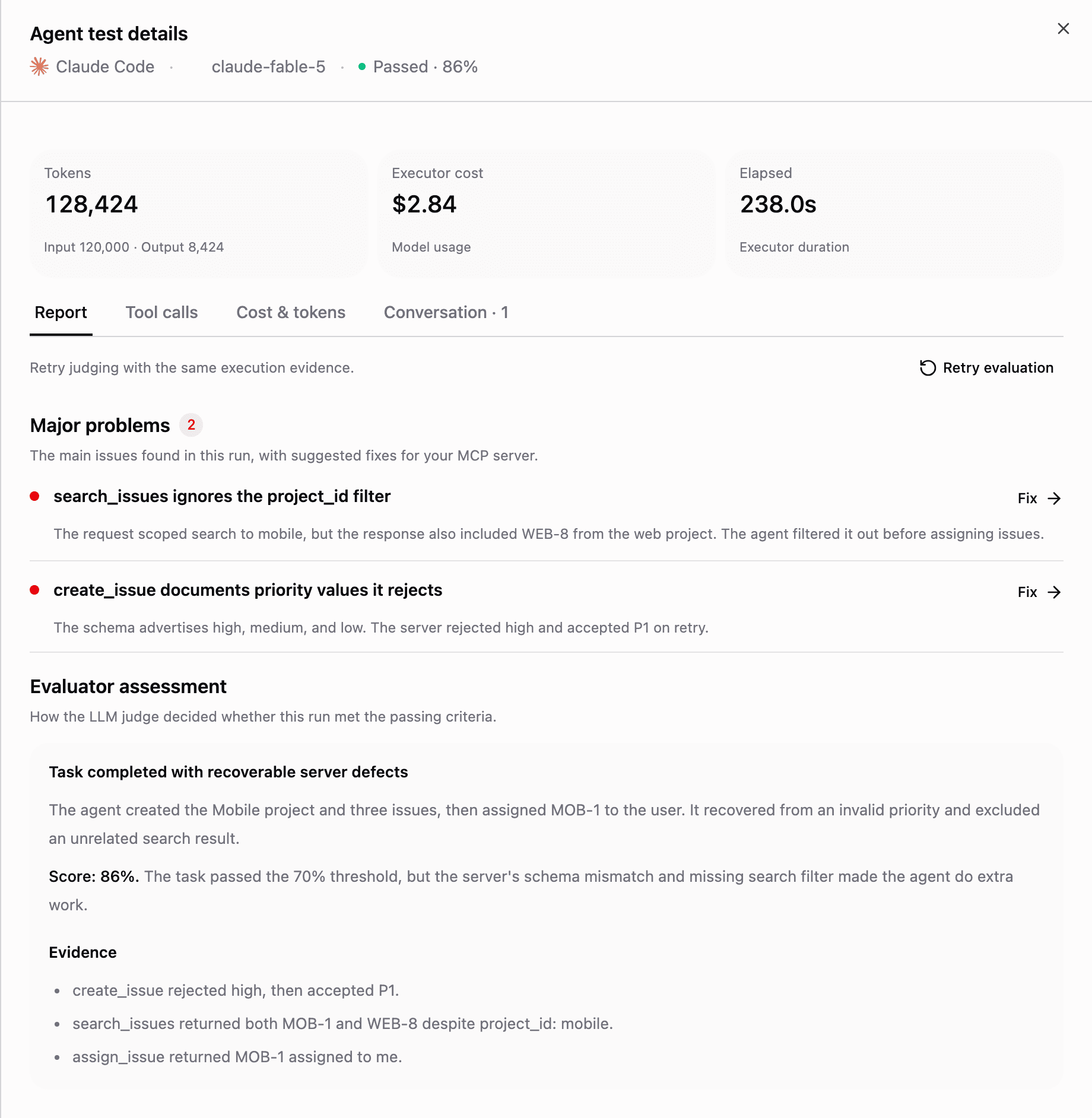
Run a suite on demand, then open it to compare the results by client and model. Click a run to open Agent test details.
Use Run all to queue every suite in the list, or Stop all to cancel queued and active runs. Select individual suites to run or stop a subset. From a suite's run history, cancel an in-flight run when you no longer need the result.
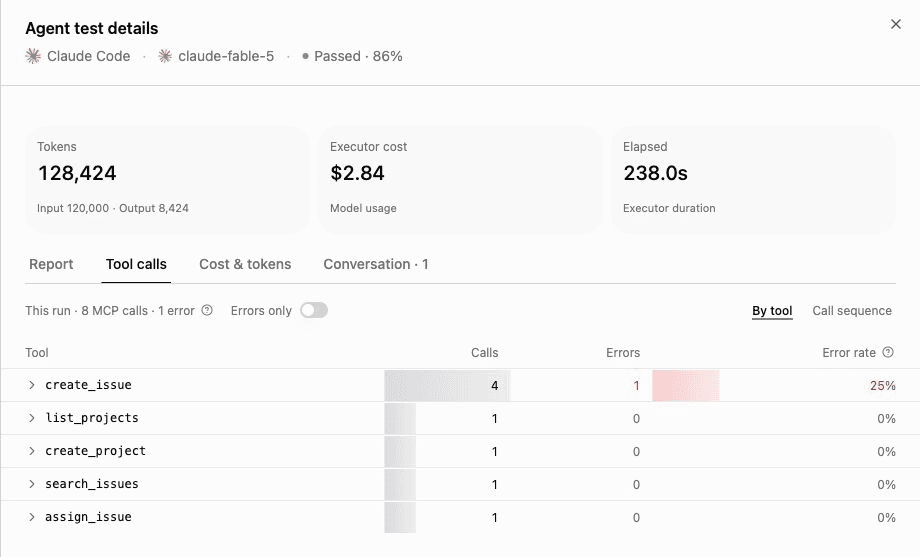
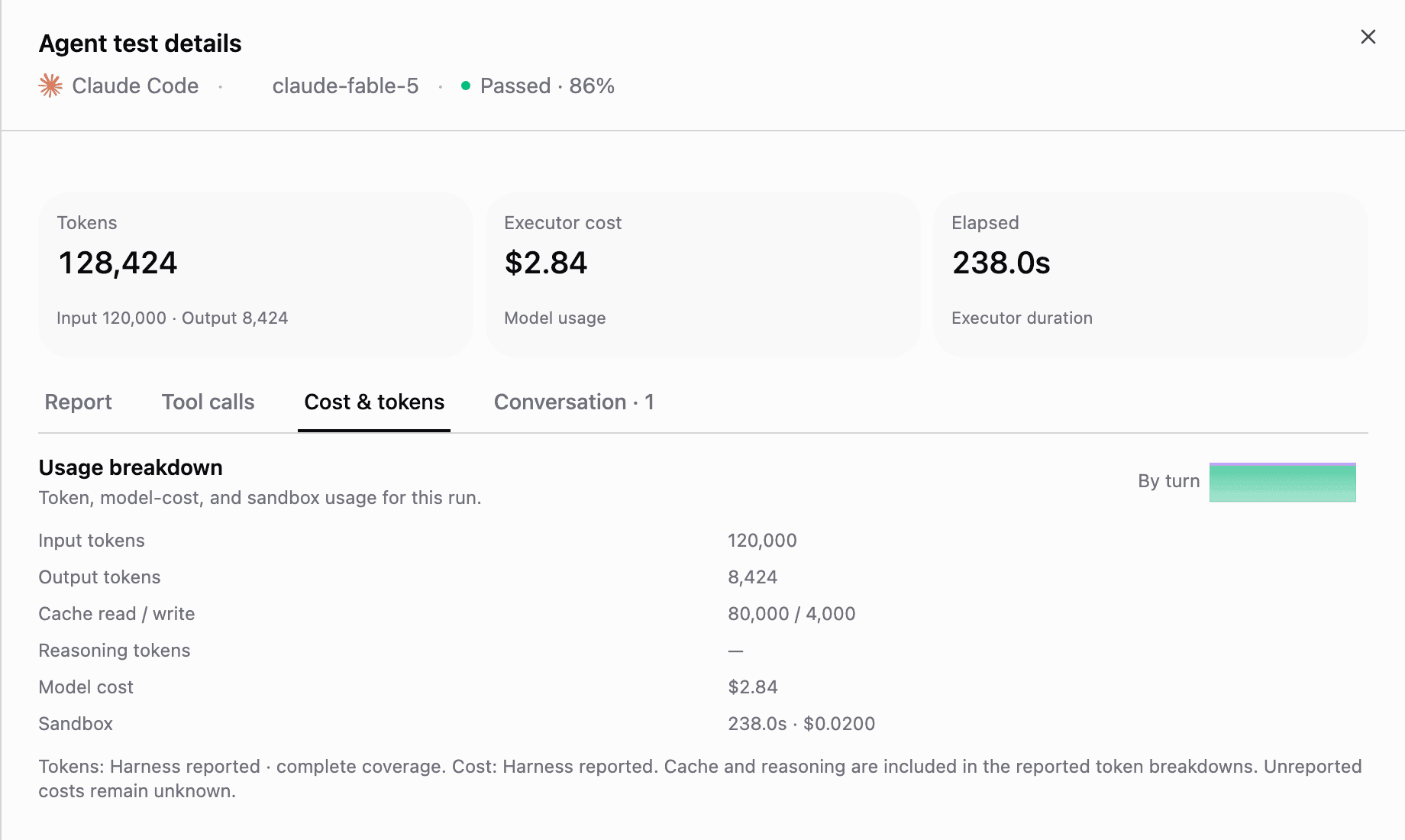
The screenshots below show the current interface with sample issues-mcp data. The server, findings, scores, and usage numbers are illustrative, not measured results.
Report
Start here for the judge's assessment and Major problems, the findings attributed to your server. Click Fix on a problem, then Copy prompt to send the suggested change to your coding assistant. Run diagnostics distinguish server defects from agent, environment, and evidence limits.

Tool calls
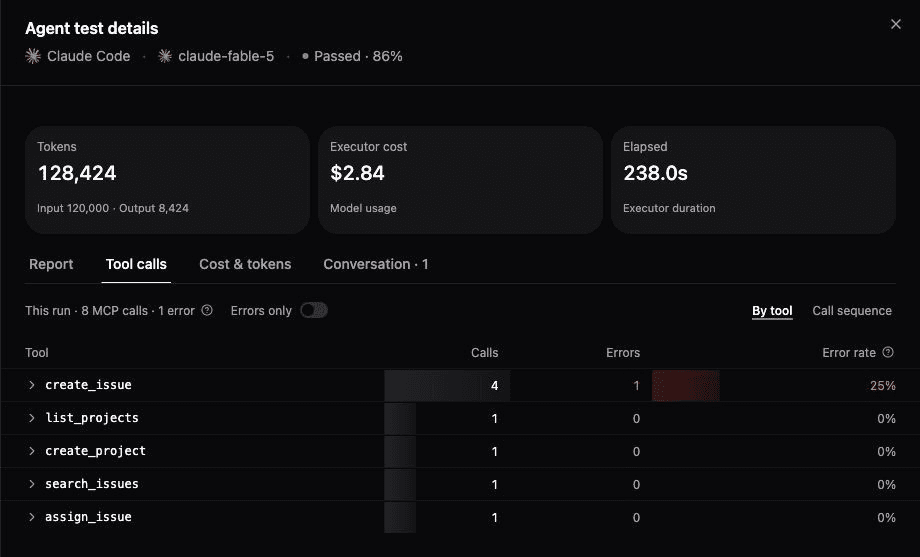
Use By tool to compare call counts and error rates, or Call sequence to follow calls in order. Expand a call to inspect its inputs and captured result. Errors only focuses on failures; it becomes Issues only when results are missing. Harness calls, when shown, includes the agent's own runtime tools.
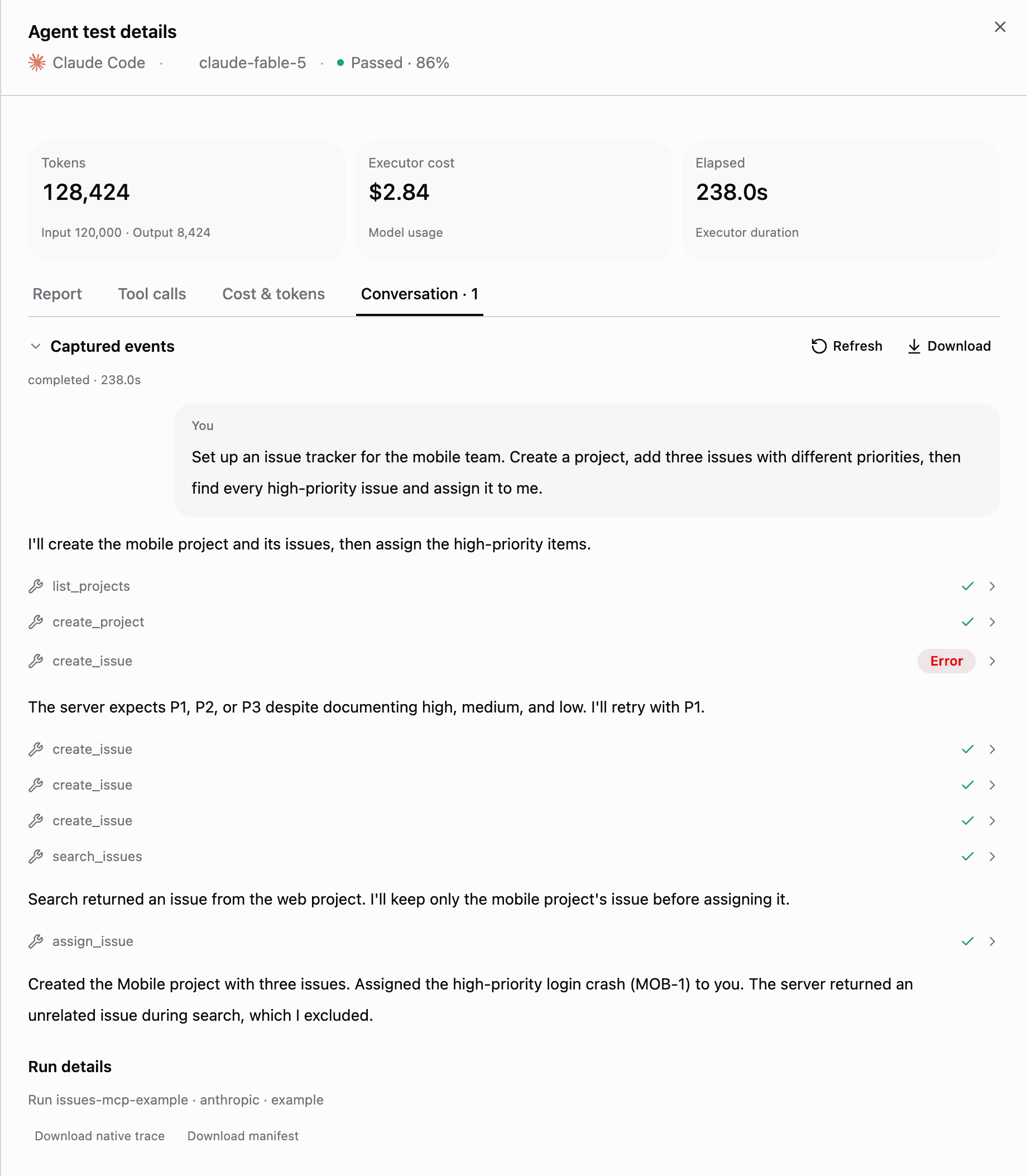
In this example, create_issue rejects high even though its schema documents that value. The agent retries with P1. A recovered tool error does not automatically fail the task; check Report for its effect on the outcome.
Cost & tokens
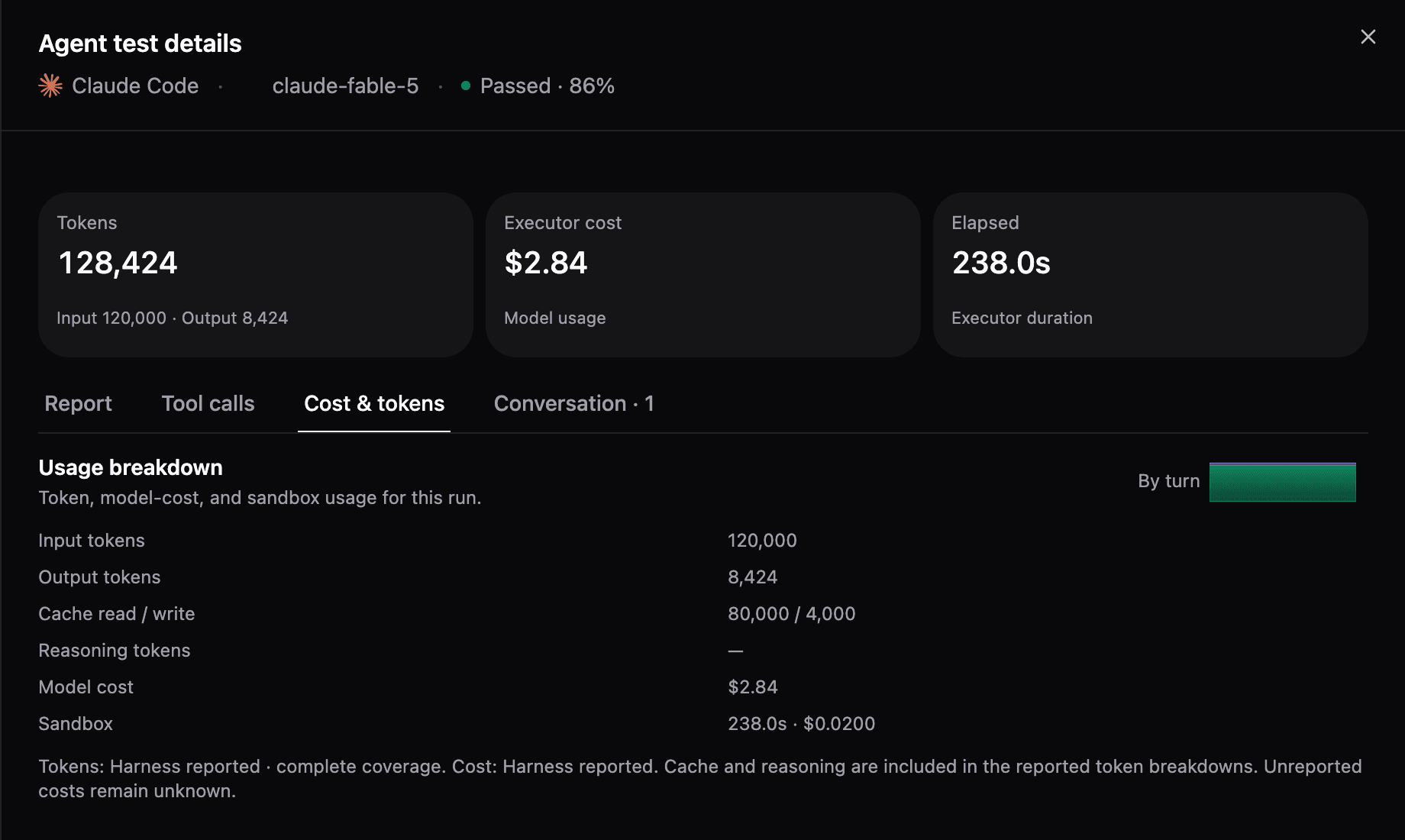
Inspect input and output tokens, cache usage, model cost, and sandbox usage. By turn opens the usage chart. Costs can be reported or estimated, and missing values mean unknown, not zero.
Browser clients do not report model token counts or API cost. Their elapsed time is still shown at the top of the drawer.
Conversation
Read the captured messages and tool results in order, and expand a tool call to inspect its evidence. Browser runs can also include a screenshot and recording when captured; coding-agent CLIs do not render app UI.
Use Download for the normalized evidence or Download native trace for a coding-agent run's retained native records. If the view is shortened or the trace is incomplete, the drawer says so.

Retry evaluation judges the saved execution evidence again without rerunning the agent or calling your server.
For an end-to-end example, read Test Your MCP Server in Claude Code, Codex, and ChatGPT.
When to run tests
- Before publishing: alongside the Checklist, to make sure behavior matches your tool descriptions.
- After changing tool schemas: renamed tools and changed parameters are the most common source of silent client breakage.
- When upgrading frameworks: verify your MCP framework upgrade didn't change wire behavior.
Testing works for both Manufact-hosted and external servers.