

Team
Invite members, assign roles, and manage permissions in your organization.
Everything in Manufact Cloud belongs to an organization: servers, billing, integrations, and API keys. The Team page is where you manage who has access.

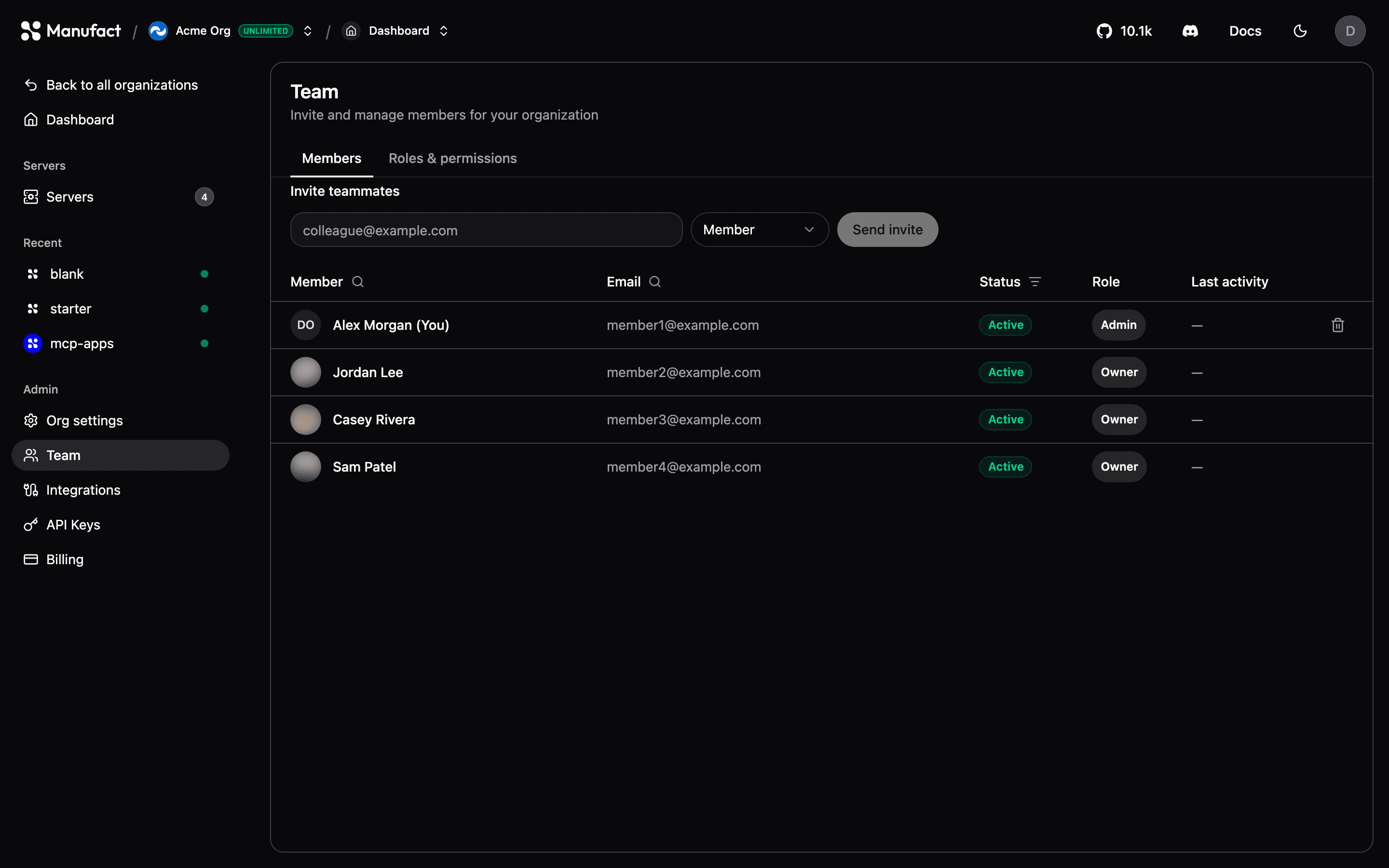
Inviting members
- Go to Team and enter the email address of the person to invite.
- Pick a role and send the invitation.
- Pending invitations are listed until accepted; you can revoke them at any time.
Seat limits
Free and pay as you go include 10 team members; Pro and Enterprise include unlimited team members. Pending invitations count toward the limit. See Billing & plans.
Roles
Three built-in roles cover most teams. Each role can only invite or assign roles at or below their own level (for example, a member cannot invite an admin).
| Role | Capabilities |
|---|---|
| Owner | Full operational access, billing and subscription management, delete the organization, invite any role (including other owners), and manage custom roles |
| Admin | Same operational access as owner, plus billing — but cannot delete the organization or invite/promote to owner |
| Member | Full operational access: create and manage servers, deployments, environment variables, agents, API keys, domains, GitHub integrations, and team peers at the member level — but cannot change billing or invite/promote anyone above member |
What “operational access” includes
Members, admins, and owners can all:
- Create, update, and delete servers and deployments
- Edit environment variables and redeploy
- Manage API keys and custom domains
- Connect and manage GitHub installations
- Invite and manage other members (not admins or owners)
- Update organization settings (name, slug)
Billing
Every organization member can view Billing. Only owners and admins can change plans, spending limits, payment methods, or the Stripe subscription.
Custom roles
Enterprise feature
Custom roles are available on the Enterprise plan. The built-in Owner, Admin, and Member roles work on every plan. Contact us to enable RBAC for your organization.
On Enterprise, owners and admins can define custom roles from the Roles & permissions panel, with a fine-grained permission matrix — for example, a role that can deploy but cannot manage billing or delete servers. The panel is shown to members who can manage roles (owners and admins); it is hidden for roles without that permission.
If an organization moves off Enterprise, members already assigned to a custom role keep their current access, but no new custom roles can be created and existing members cannot be reassigned to a custom role until Enterprise is active again. Reassign those members to a built-in role to fully remove custom-role access.
See Roles & permissions for the full permission matrix and how enforcement works.
Multiple organizations
You can belong to any number of organizations and switch between them with the organization switcher in the header. Each organization has its own servers, plan, and team, useful for separating clients, products, or staging/production ownership.
Organization settings
From Org settings you can rename the organization, change its slug, and (owners only) delete it. Deleting an organization removes all its servers and data permanently.
You cannot delete an organization while it has an active paid subscription. Cancel or downgrade to Free first (via Billing → Manage subscription), then delete from Org settings.